







Robots
Featured Robots
Pool Type
Brands
Categories
Deals & More
Free 1-3 Day FedEx Shipping
Low Price Guarantee
Easy Returns & Exchanges
Pool Expert Support
Shop All Robots Deals & Specials
Free 1-2 Day Shipping. Low Price Guarantee. Easy Returns/Exchanges. Choose from top models from the top brands.
Shop By
Pool Type
Debris Type
Brand
Budget
Equipment
Free 1-3 Day FedEx Shipping
Low Price Guarantee
Easy Returns & Exchanges
Pool Expert Support
Shop All Robots
Free 1-2 Day Shipping. Low Price Guarantee. Easy Returns/Exchanges. Find the perfect robot for your pool.
Learn
Reviews
Buying Guides
Compare
Help Me Choose
Free 1-3 Day FedEx Shipping
Low Price Guarantee
Easy Returns & Exchanges
Learning Center
Free 1-2 Day Shipping. Low Price Guarantee. Easy Returns/Exchanges. Everything you need to pick the right pool robot.

Need Help?

Our Pool Experts are here to assist you

Pool Robot Guide

Pool Robot Guide

Find the perfect robot for your pool

Pool Expert

Call an Expert

(888) 615-5728

Mon-Fri 8am-5:30pm CST

Pool Robot Help

Why is the light on my Dolphin power supply on (or blinking)?

Free 1-3 Day FedEx Shipping Low Price Guarantee 30-Day Risk-Free Trial Authorized Maytronics Dealer
Quick answer

On most Dolphin power supplies a steady light simply means power/normal operation, while a blinking or error light usually points to a full filter, a jammed impeller, or a power-cord/connection fault. Empty and rinse the filters, check the impeller for debris, reseat the cord, and power-cycle the unit for 30 seconds.

What the light is telling you

Indicator behavior varies by model, but the general rules hold across the Dolphin lineup. A solid light usually means the power supply has power and is operating normally. A blinking or red/error light is the unit flagging a fault — most often a full filter basket, a blocked impeller, or an interrupted connection between the power supply and the robot. Some newer supplies also blink briefly at the end of a cycle, which is normal.

Work through these in order

  1. Empty and rinse the filters — a clogged filter is the #1 trigger.
  2. Check the impeller housing for leaves, hair, or pebbles and clear anything jammed.
  3. Inspect the floating cord and connector for kinks, corrosion, or a loose plug, and reseat it firmly.
  4. Confirm the power supply is plugged directly into a working GFCI outlet — not an extension cord — and hasn’t tripped.
  5. Unplug the power supply for a full 30 seconds, then plug it back in to reset it.

If debris keeps tripping the light

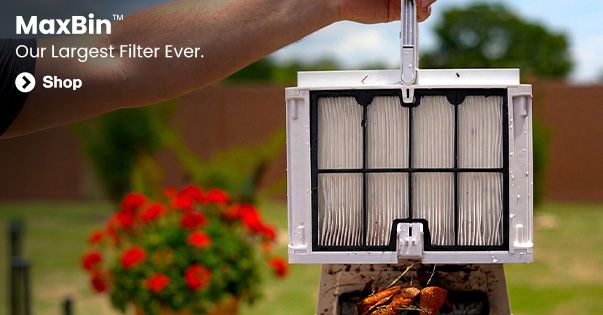
If a full filter is constantly setting off the indicator, you’re overwhelming the standard cartridge. Upgrading to NanoFilters™ and/or a MaxBin™-equipped robot gives you far more capacity between cleanings so the unit doesn’t choke mid-cycle.

When to get help

If the error light stays on after a full reset, or the robot won’t power at all, it may be an internal or power-supply fault. Because Poolbots is an authorized dealer, we can walk you through warranty service — contact our pool experts with your model number, or review your warranty coverage.

Recommended by our experts

What we’d reach for.

Recommended

MaxBin™ Robots

Extra-large debris canisters hold more leaves and dirt, so you empty less often and clean longer between stops.

See MaxBin™ robots ›

Recommended

Talk to a Pool Expert

Not sure what's wrong? Our U.S.-based pool experts can help you diagnose it fast — real people, no bots.

Contact our experts ›

About the Poolbots Pool Experts

This answer was written and reviewed by the pool professionals at Poolbots, a factory-authorized Maytronics dealer with 25+ years in the swimming pool industry and over 100,000 robotic cleaners sold. We test and service these robots every day, so our advice comes from real hands-on experience — not spec sheets.

Why shop with Poolbots · Talk to an expert · Warranty & support

Ready to fix it for good?

Shop robots that just work — every model ships free with a 30-day trial and our low-price guarantee — or get a straight answer from our U.S.-based pool experts. Real people, no bots.

Pool Robot Buying Guide
Headphones Icon
Dolphin Cayman Review