






Robots
Featured Robots
Pool Type
Brands
Categories
Deals & More
Free 1-3 Day FedEx Shipping
Low Price Guarantee
Easy Returns & Exchanges
Pool Expert Support
Shop All Robots Deals & Specials
Free 1-2 Day Shipping. Low Price Guarantee. Easy Returns/Exchanges. Choose from top models from the top brands.
Shop By
Pool Type
Debris Type
Brand
Budget
Equipment
Free 1-3 Day FedEx Shipping
Low Price Guarantee
Easy Returns & Exchanges
Pool Expert Support
Shop All Robots
Free 1-2 Day Shipping. Low Price Guarantee. Easy Returns/Exchanges. Find the perfect robot for your pool.
Learn
Free 1-2 Day Shipping. Low Price Guarantee. Easy Returns/Exchanges. Everything you need to pick the right pool robot.

Shopping Cart

Free FedEx Shipping & 30 Day Trial

Your cart is empty

Subtotal 0

Free shipping on robots to contiguous 48 states

Need Help?

Our Pool Experts are here to assist you

Mon-Fri 8am-5:30pm CST

  1. Home
  2. Videos
  3. Using the Dolphin Quantum's Power Supply
Guide

Using the Dolphin Quantum's Power Supply

Make Pool Cleaning a Breeze. With Maytronic's Dolphin Quantum, take whatever preconceived notions you may have about pool robots and throw them out. The all-new Quantum is here with groundbreaking new technology to ensure that every inch of your pool is cleaned to a whole new level. In this video, we review how to use the Dolphin Quantum's power supply.

By Poolbots Featured: Dolphin Quantum HD Video

In-depth Article

Using the Quantum’s Power Supply

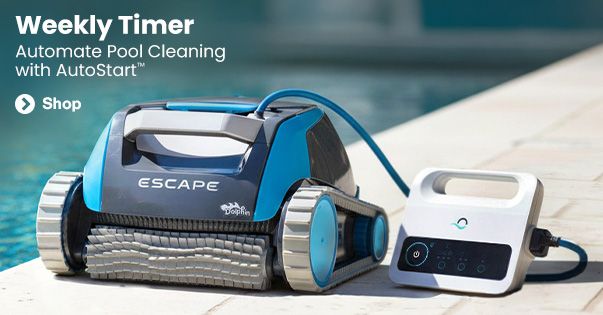
Hey guys! It’s Joshua with Poolbots.com, and today we are looking at how to use the Quantum’s Power Supply so you can use it to its full potential! After plugging the power supply into an outdoor GFCI outlet, and plugging the Quantum’s power cord into the power supply, all you have left to do is press the power button and select a weekly schedule.

Power Supply Button

The small button next to the power supply is the one that will select a weekly schedule. One click is for a daily clean. Two clicks are for an every other day clean. Three clicks are for an every three-day clean. Each of these will run for one week before needing to be reset, and if you don't select any of them, then the Quantum will simply do a quick one-time clean!

Conclusion

And that’s how you use the Quantum’s power supply to select different cleaning cycles so you can clean exactly as much as you need to. As always, you can read real reviews and learn more about the Dolphin Quantum and dozens of other robotic pool cleaners at poolbots.com. Visit our website and YouTube to find the best deals, tips, and tricks for pool ownership, and special buys that’ll help you enjoy your pool to its full potential.

Try any robot for 30 days

Buy with confidence, risk-free

Try any robot in your pool for 30 days. We believe a pool robot is an investment, and we know you'll love it. If you don't, simply return the robot. Unlike the other guys, we never charge a restocking fee or any other fees, meaning no restocking fee ever.

At Poolbots, we carry only the top models from the top brands. All of our pool robots are backed by a full manufacturer's warranty, not prorated or limited to cycles like other pool robots.

Authorized Maytronics Dealer

Recommended accessories

Get the most out of your Dolphin robot

Dolphin Universal Caddy

Dolphin Universal Caddy

Easily transport your robot to and from the pool. Fits any Dolphin Robotic Pool Cleaner.

Customers also viewed

Popular pool robots from Poolbots customers

Pool Robot Buying Guide
Headphones Icon
Dolphin Cayman Review
Poolbots Support